How to Reschedule Your Ticket
Detailed steps and methods for rescheduling your ticket via Call Center and website
1) Reschedule your ticket through Call Center
Contact the Call Center at 02-269-6999 and provide your booking code to the staff
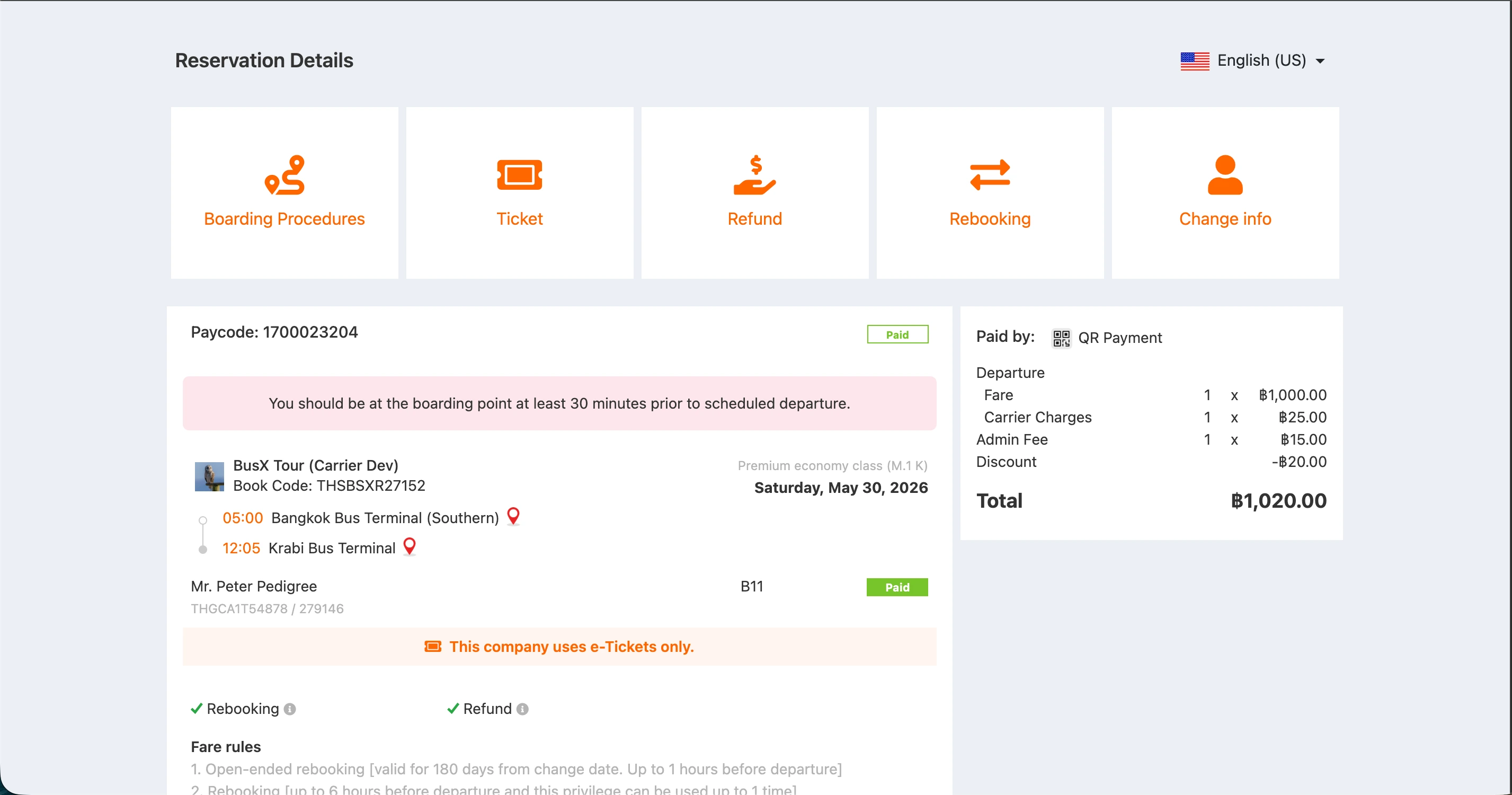
2) Reschedule your ticket through the website
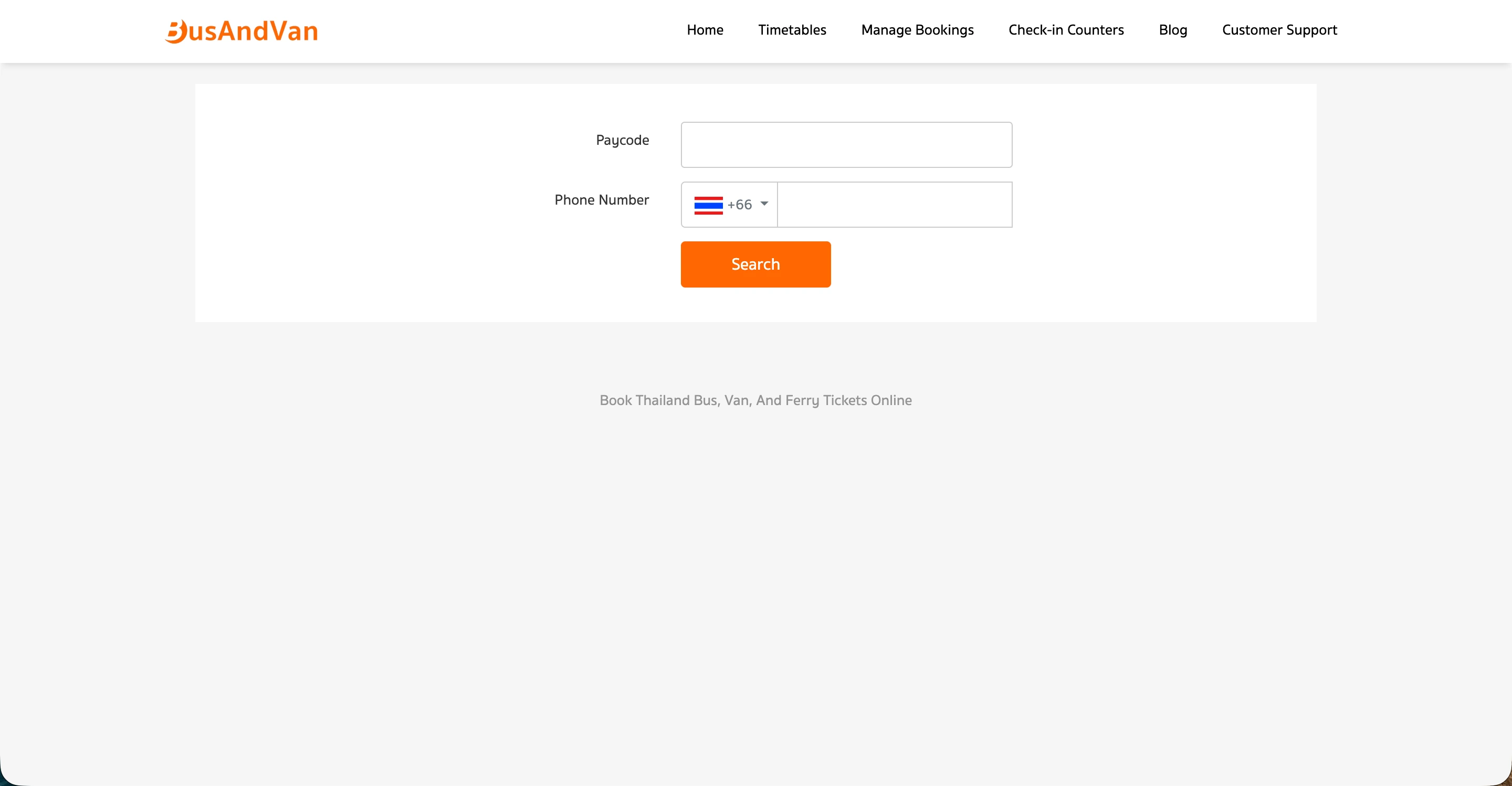
Step 1: Go to the Manage Booking menu
Step 2: Select the Reschedule Ticket menu
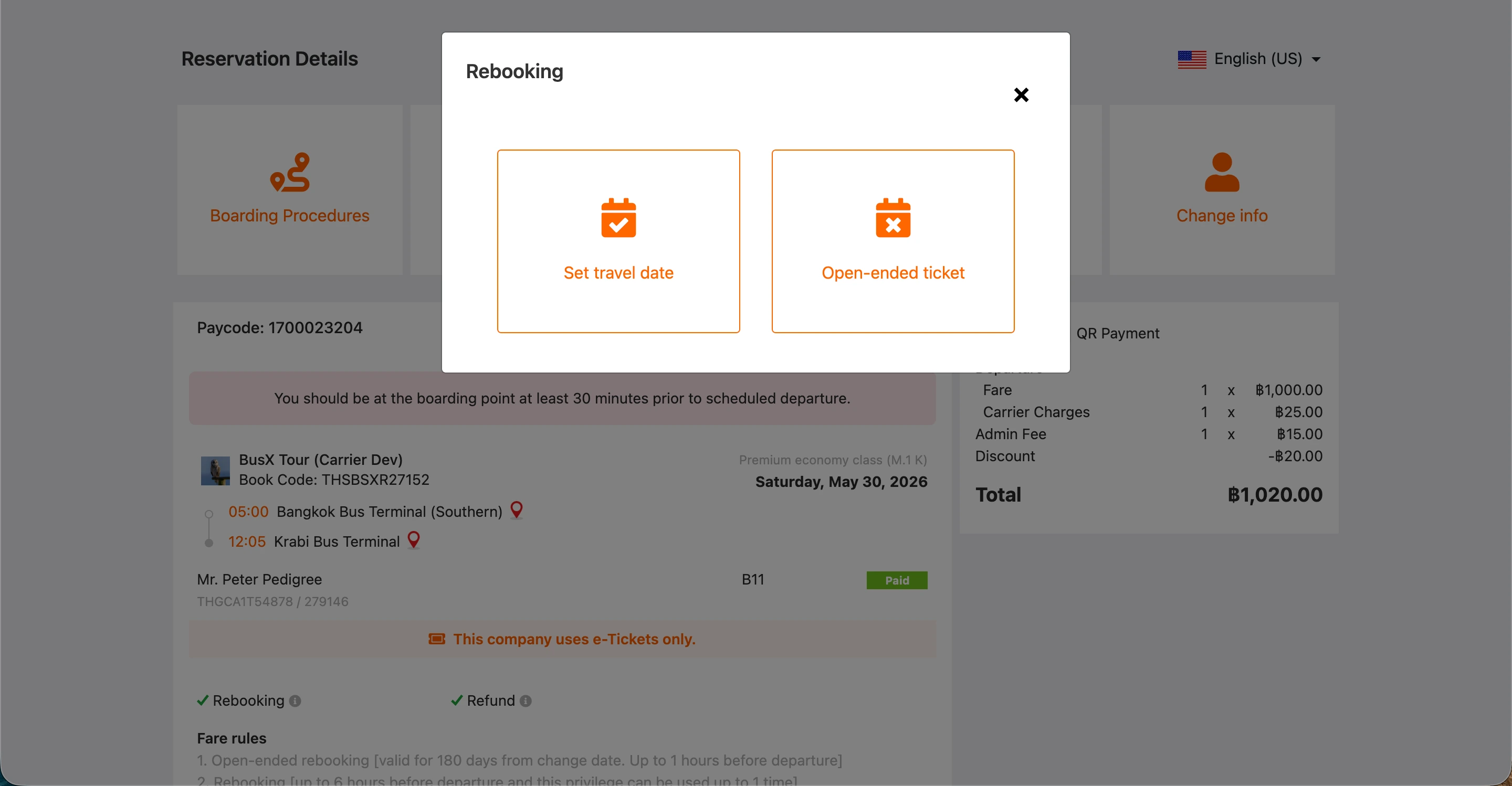
Step 3: Select the type of ticket to reschedule
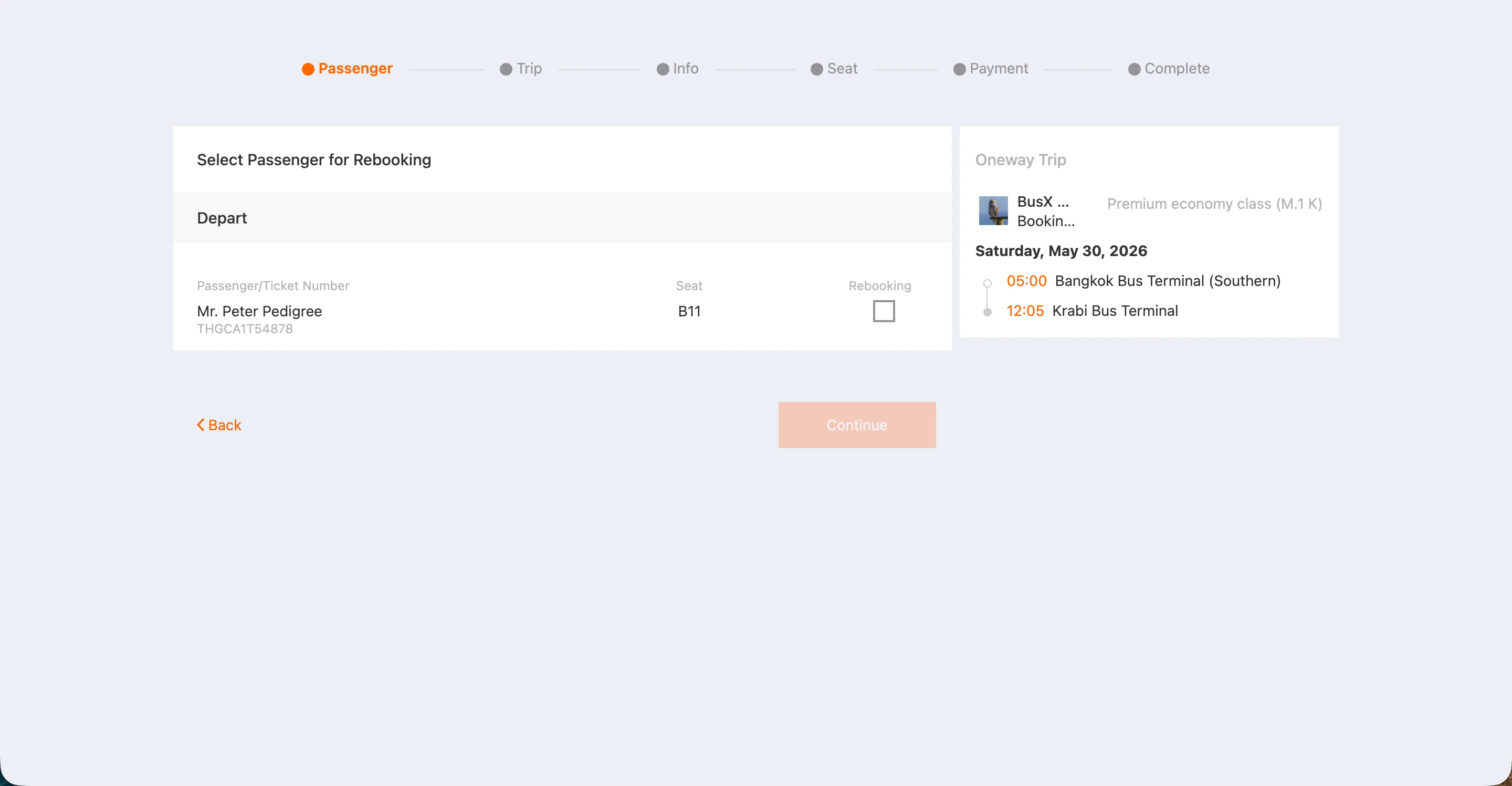
Step 4: Select the seat to reschedule
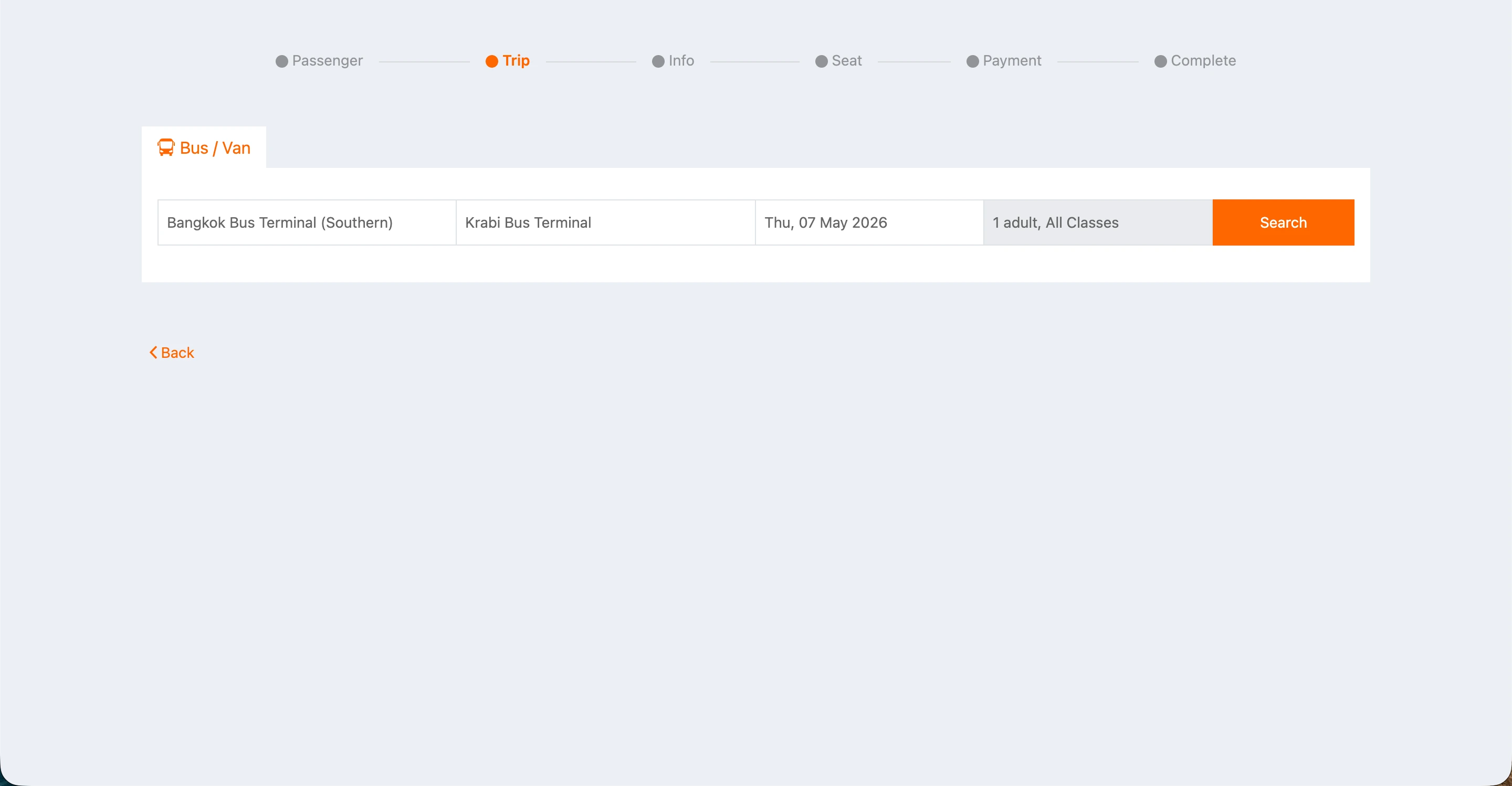
Step 5: Select the new travel date
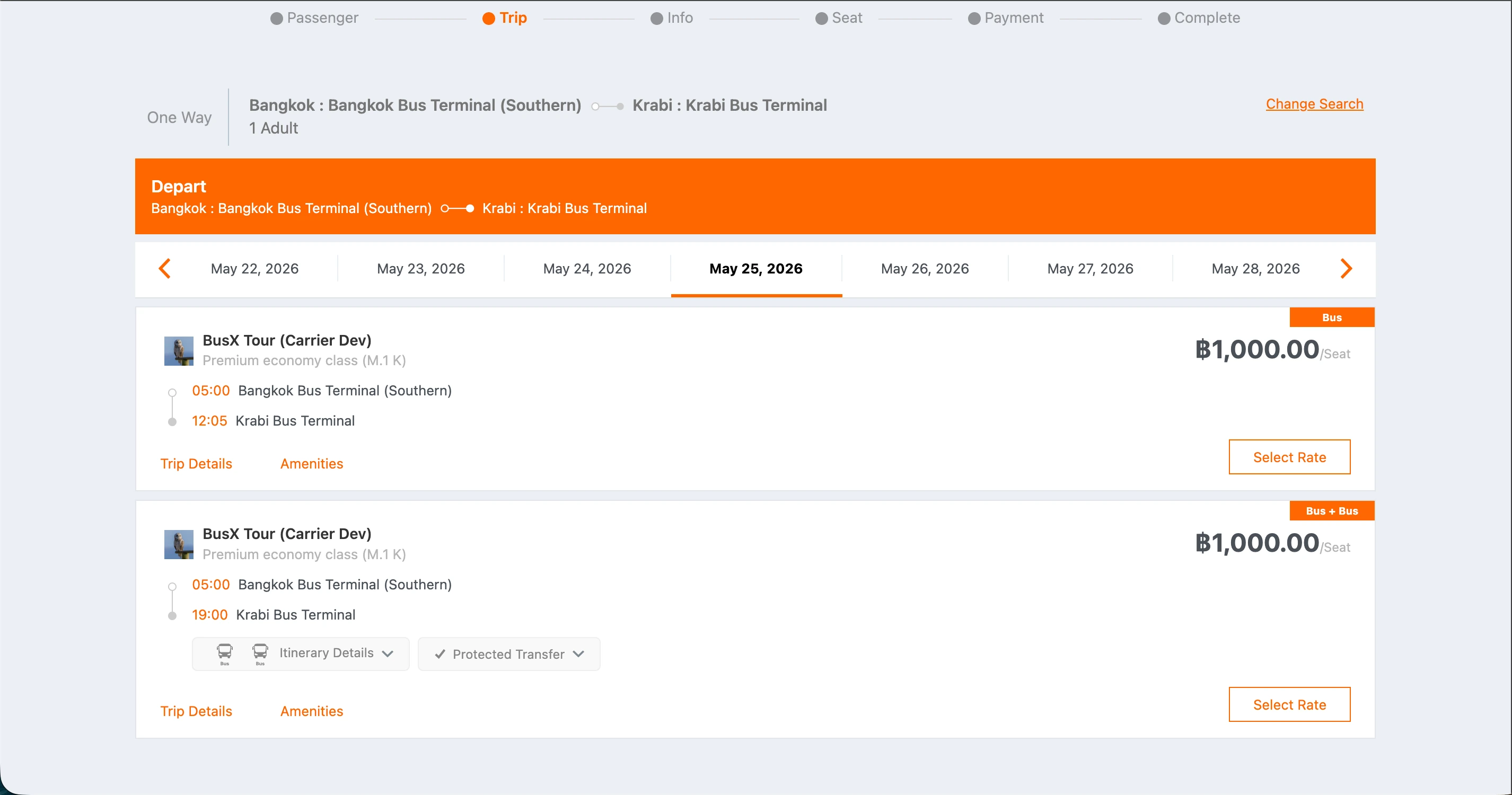
Step 6: Select the new trip
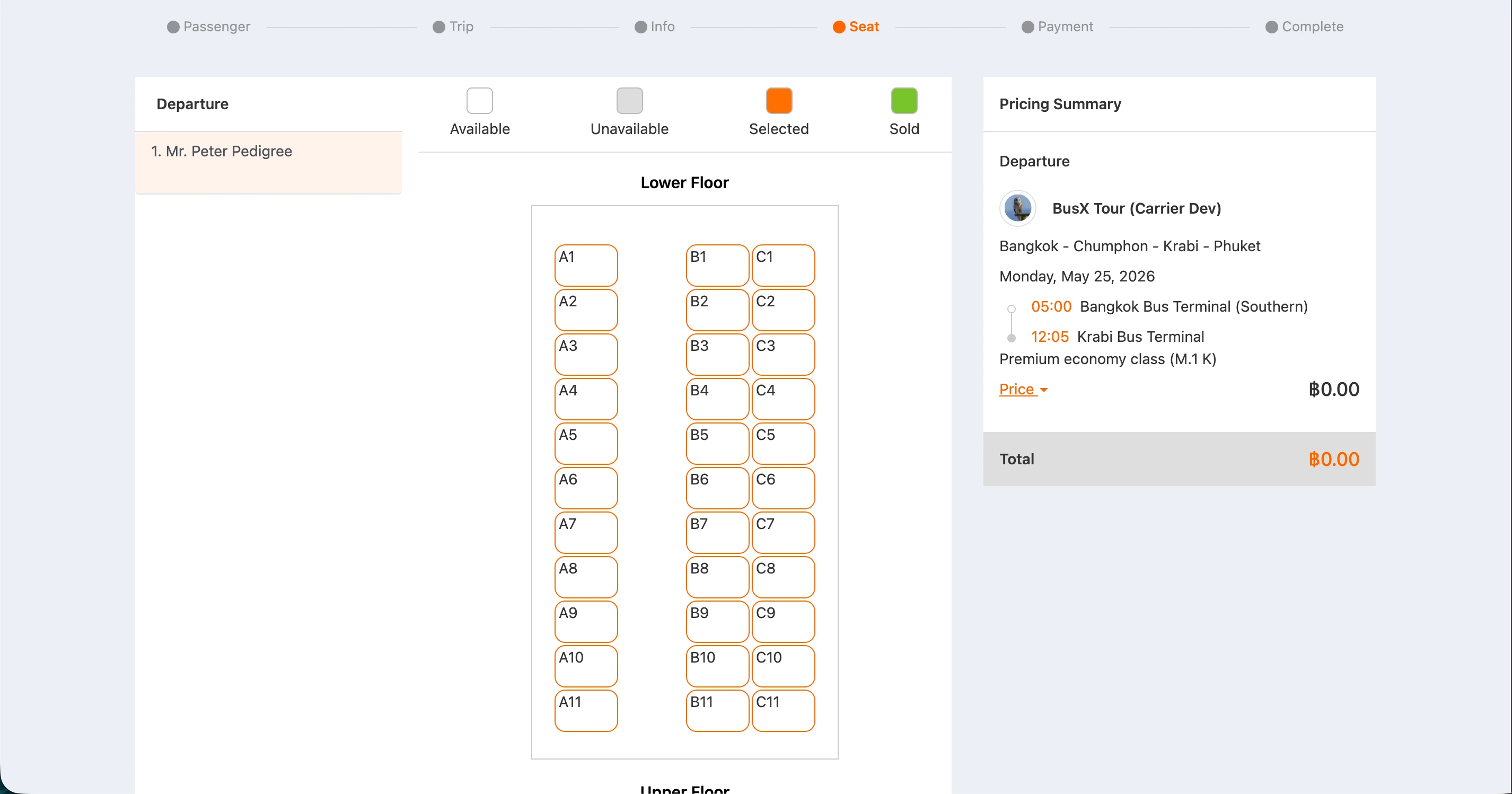
Step 7: Select the new seat
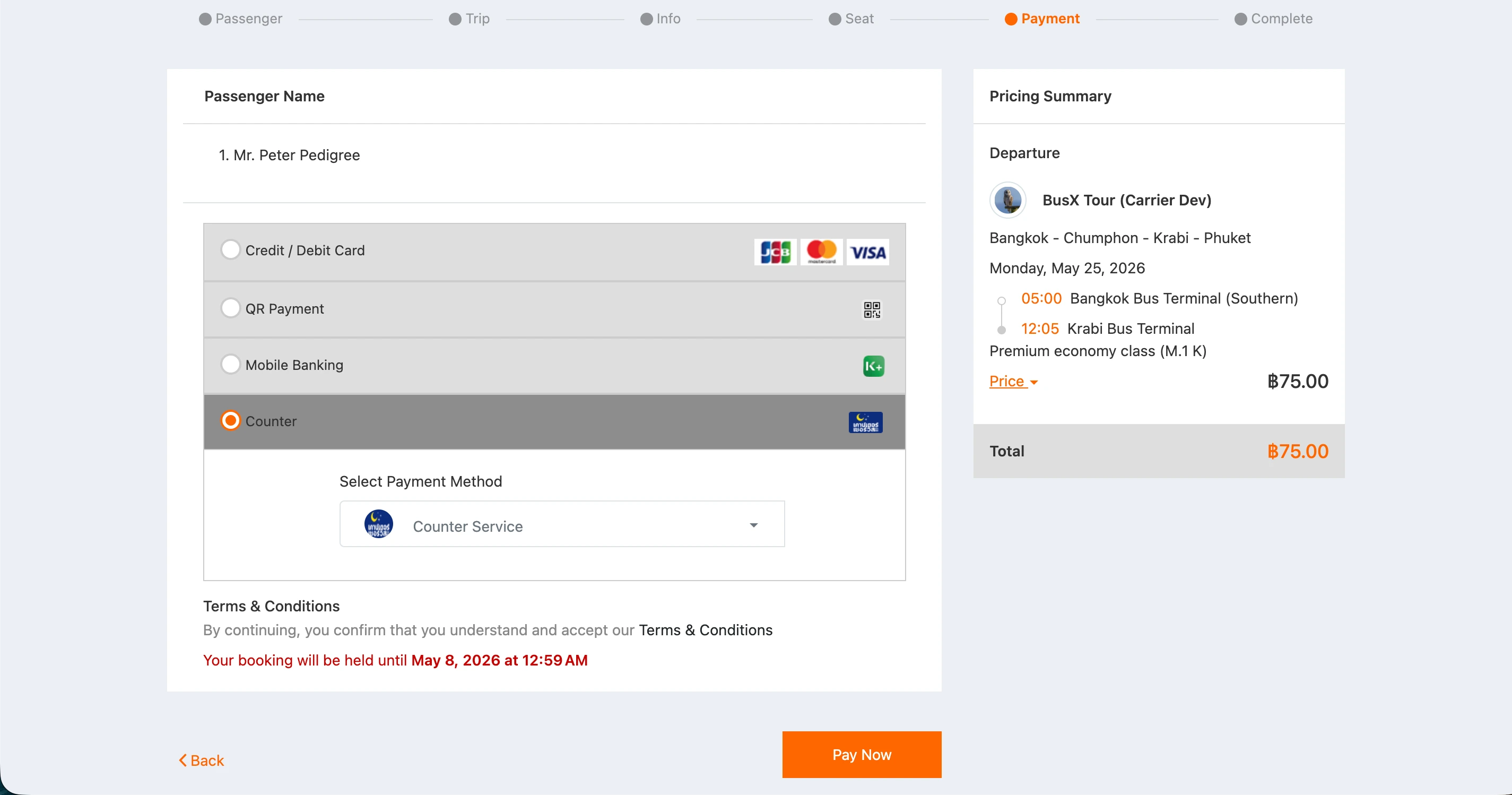
Step 8: Select the payment method